
Keyword Research for Small Business: A Simple 7 Step Method

Keyword research for small business comes down to one question: what words do your future customers type when they need what you sell? Answer that honestly and your keyword research for small business is done, and you know what to write, which pages to build and which searches are worth chasing. Get it wrong and you spend months on pages that nobody searches for, or on terms so competitive that a local firm has no chance.
This guide shows a simple method for keyword research for small business owners that needs no paid software. It uses a spreadsheet, a free Google Search Console account and about three hours. The steps are in the order we use for our own site.
What is keyword research for small business, and why does it differ?
Keyword research for small business is the process of finding the searches your likely customers make, then choosing a few that your site can realistically win. The second half is what makes it different from the advice written for large brands.
A national retailer can aim at any term with high volume. A plumber, an accountant or a small agency cannot, and should not try. Your advantage is that you are specific. You serve a place, a type of customer or a particular problem, and the searches that describe that are often small but ready to buy.
So the goal is not the biggest number. The goal is a short list of phrases that match what you sell, match what the searcher wants, and sit in reach of a site your size.
What do you need before you start?
Not much. For keyword research for small business planning, open a blank spreadsheet and add these columns: phrase, what the searcher wants, rough demand, who ranks now, the page it belongs to, and a decision. You will fill them in as you go.
Then make sure you have access to Google Search Console for your site. If your site is new, it will be empty for a while, and that is fine because we have other sources. Finally, set aside a quiet block of time, because the thinking matters more than any tool.
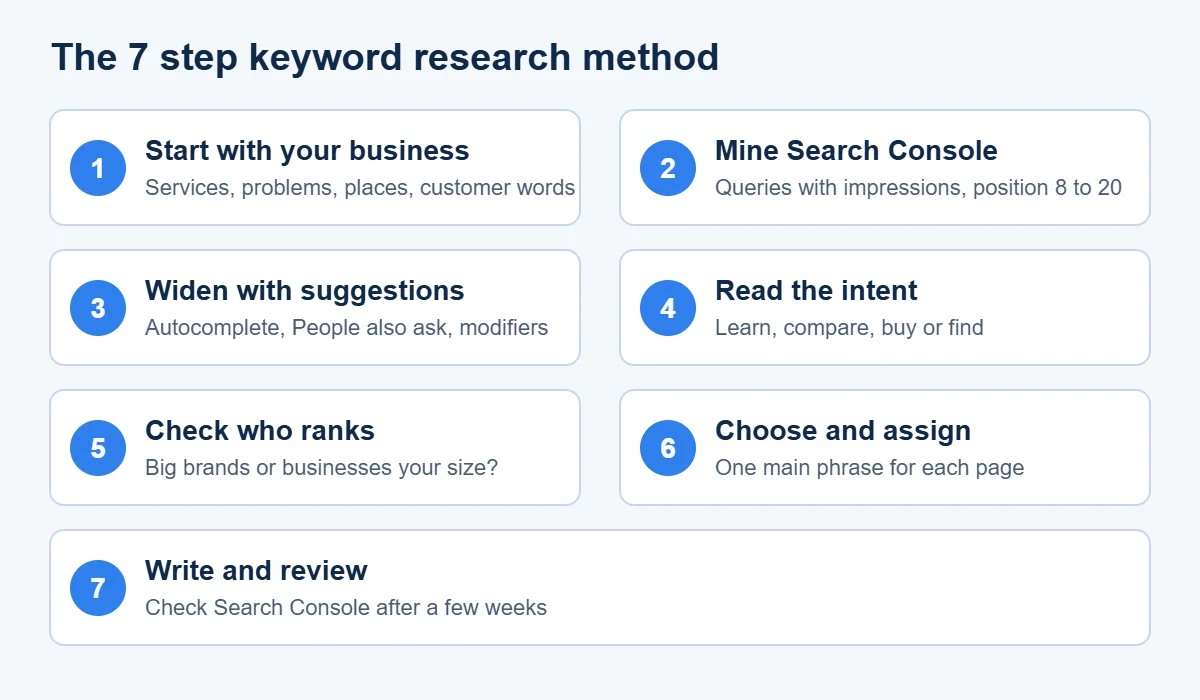
Step 1: Start with your own business, not a tool
Most guides tell you to type a word into a tool and wait. We start earlier, with a notepad.
Write down every service or product you sell, using the plainest words you can. Then add the problems each one solves, the places you work, and the kinds of customer you serve. A heating engineer might list boiler repair, boiler service, no hot water, radiator cold at the top, and the three towns covered.
Next, collect the language customers really use. Read the last twenty emails or calls from new enquiries. Look at reviews, both yours and your competitors’. Customers rarely use your trade words. They say “my website has disappeared” where you say “deindexed”. Those exact phrasings are gold for keyword research for small business owners, because no tool will invent them for you.
By the end you should have thirty to fifty rough phrases. Do not filter yet.
Step 2: Mine the data you already own
If your site has been live for a few months, Google has already told you which searches it shows you for. This is the most useful free source there is.
In Search Console, open the Performance report. According to Google’s Search Console help, it reports clicks, impressions, click through rate and average position, and the queries dimension groups the data by the search term people typed. The default view covers the last three months, and you can change the date range.
Sort the queries by impressions and look for two kinds of line:
- Queries with many impressions and few clicks. You appear, but not high enough, or the page does not match the search well.
- Queries where your average position is between 8 and 20. These are often one good edit away from page one.
Add the promising ones to your spreadsheet. This is the cheapest keyword research for small business owners can do, because the demand is already proven and the site is already trusted a little for that topic.
Step 3: Widen the list with free suggestions
Now grow the notepad list using what Google itself suggests.
Type your main phrases into Google and watch the autocomplete options. Scroll to the “People also ask” boxes and the related searches at the bottom of the page. Each one is a real phrase with real demand, and the question style ones are perfect for headings that answer a query directly. That helps both classic search and AI answer tools, which tend to quote pages that state a clear answer first.
Add modifiers that small businesses depend on:
- Place: your town, your county, “near me”.
- Audience: “for landlords”, “for restaurants”, “for start ups”.
- Need: “cost”, “how long”, “emergency”, “quote”.
Be careful not to bloat the sheet. Fifty phrases you have thought about beat five hundred pasted from a download, and that is true of all keyword research for small business sites. If you want a rough idea of demand, free tools give ranges, and Google Keyword Planner gives wide bands if you have an ads account.
Step 4: Work out what each searcher actually wants
This step separates good keyword research for small business owners from a list of words. Two phrases that look alike can need completely different pages.
Sort every phrase into one of four groups:
| What they want | Example | Page you need |
|---|---|---|
| To learn something | how does boiler servicing work | Guide or article |
| To compare options | best boiler brands for small homes | Comparison or buyer guide |
| To buy or book | boiler service Leeds | Service page |
| To find a specific place or brand | smith heating contact | Contact or home page |
The quickest test is to search the phrase yourself. If page one is full of service pages, a blog post will struggle. If it is full of guides, a sales page will struggle. You are not choosing the intent, you are reading it. Our SEO intent analyzer classifies a phrase for you if you want a second opinion.
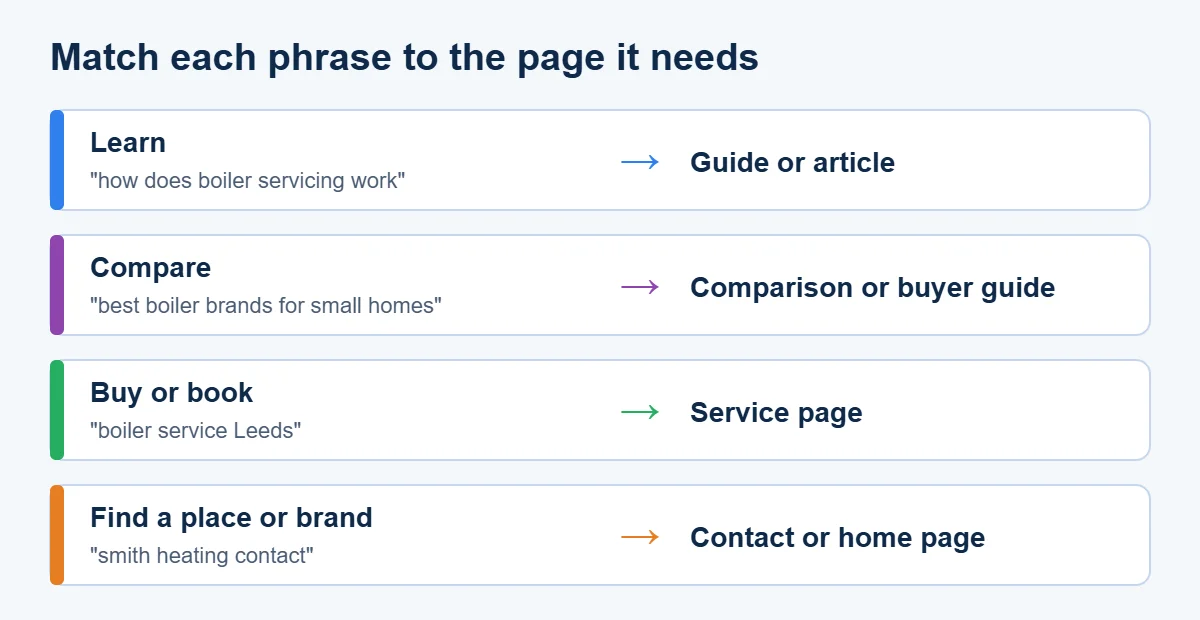
Write the group in your spreadsheet. Phrases that need a service page go to one list and phrases that need a guide go to another. Mixing them is how sites end up with ten weak pages when they needed two strong ones.
Step 5: Look at who already ranks
Demand is only half the picture. You also need to know if you can compete, so spend ten minutes on the results for your best phrases.
Search each one in a private window. Note who holds the top five places. Are they large publishers, national brands and directories, or small local sites like yours? If page one is all household names, move on or find a more specific version of the phrase. If you see several businesses your size, the door is open.
Then look at how good those pages are. Do they answer the question fully? Are they out of date? Do they have a real person, real photos or real prices on them? A weak page ranking third is an invitation, and a thorough page from a trusted brand is a warning. You can compare your site with a rival side by side using our SEO competitor comparison tool.
Starting small is not timid, and it suits keyword research for small business projects. It is how a site builds the track record that lets it go after harder terms later.
Step 6: Choose your keywords and give each one a home
Now you decide. For each phrase, ask four things:
- Does it match something we really sell or know about?
- Do I understand what the searcher wants, and can we serve it?
- Is the competition within reach?
- Would a visitor who arrives be useful to us, even if they do not buy today?
Keep the ones that score yes on at least three. This is the point where keyword research for small business turns into decisions. Aim for one main phrase per page, plus a few close variations that mean the same thing. Resist the urge to use one phrase on several pages. When two pages chase the same words they compete with each other, and Google has to guess which one you meant.
A tidy way to avoid that is to give every kept phrase a single address in your spreadsheet. If a phrase has no page yet, mark it “to write”. If two phrases truly need the same page, merge them. This sheet then becomes your content plan for the next six months.
For a service business the shape is usually simple. Your home page and main service pages take the commercial phrases with a place name. Guides take the questions that come before a purchase. A short list of local pages covers each area you serve.
Step 7: Write for the phrase and check the results
With the list ready, write each page for a person first. Use the main phrase where it reads naturally, such as in the title, the opening paragraph and a heading, and then stop. Repeating it for its own sake makes the page harder to read and gains nothing.
Add what only you can offer: your prices if you can share them, your process, a local detail, a photo of real work. This is where small firms beat larger competitors, who tend to publish generic text. Name the person who wrote or checked the page, and say when it was last updated.
After a few weeks, return to Search Console and look at the new page. Which queries is it showing for? Often it picks up phrases you never planned for, and those are free ideas for the next round. Our Google rank checker can also show roughly where a page sits for a chosen phrase.
Common mistakes in keyword research for small business owners
Chasing volume. A phrase with 50 monthly searches and a clear buying need can be worth more than one with 5,000 vague visits. Volume is not value.
Ignoring intent. Writing a long guide for a phrase where people want to hire someone, or the other way round, wastes the effort.
Targeting terms far too big. Early on, a single broad word will not move. Add a place or an audience and the competition thins out.
Treating the list as finished. Searches change. New products, new seasons and new questions appear, so revisit the sheet every quarter.
Forgetting the basics. Even a perfect keyword choice will not rank if the page cannot be crawled or loads badly. Work through our SEO audit checklist once the content is live, so the foundation holds up what you wrote.
How long does it take to see results?
It depends on how competitive the phrase is and how established your site is. Pages aimed at specific, low competition phrases can start appearing within weeks, while broader terms may take many months. Nobody can promise a position, and anyone who does is guessing. What you can control is the quality of the choice and the page.
What keyword research for small business cannot tell you
Numbers from any tool are estimates built from samples. They miss new searches, they round heavily for small phrases and they cannot see your local picture exactly. Treat them as a compass rather than a map. Your own sales conversations, your Search Console data and a careful look at the results will tell you more than a volume figure ever does. This is also why we suggest keeping the list small and testing it, instead of betting a whole year on one number.
Questions people ask
What is the best free tool for keyword research for small business?
Google Search Console, because it shows the real searches that already bring people to your site. Pair it with Google autocomplete and the People also ask boxes for new ideas.
How many keywords should a small business target?
Start with one main phrase for each important page. A small site might have between ten and thirty pages, so a list of that size is plenty at the beginning.
How often should you repeat keyword research?
For keyword research for small business sites, review your list every three months and do a fuller refresh once a year, or sooner if you add a new service or enter a new area.
Do you need paid software?
No. Paid tools save time on larger sites, but a spreadsheet, Search Console and a careful look at the search results are enough to make good choices.
If you would like a second pair of eyes on your keyword research for small business plans, run the free SEO audit to see where your site stands today. If you would rather have help turning the list into a plan, our SEO services page explains how we work, and the About page shows who you would be working with.