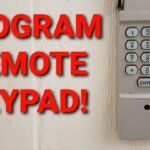



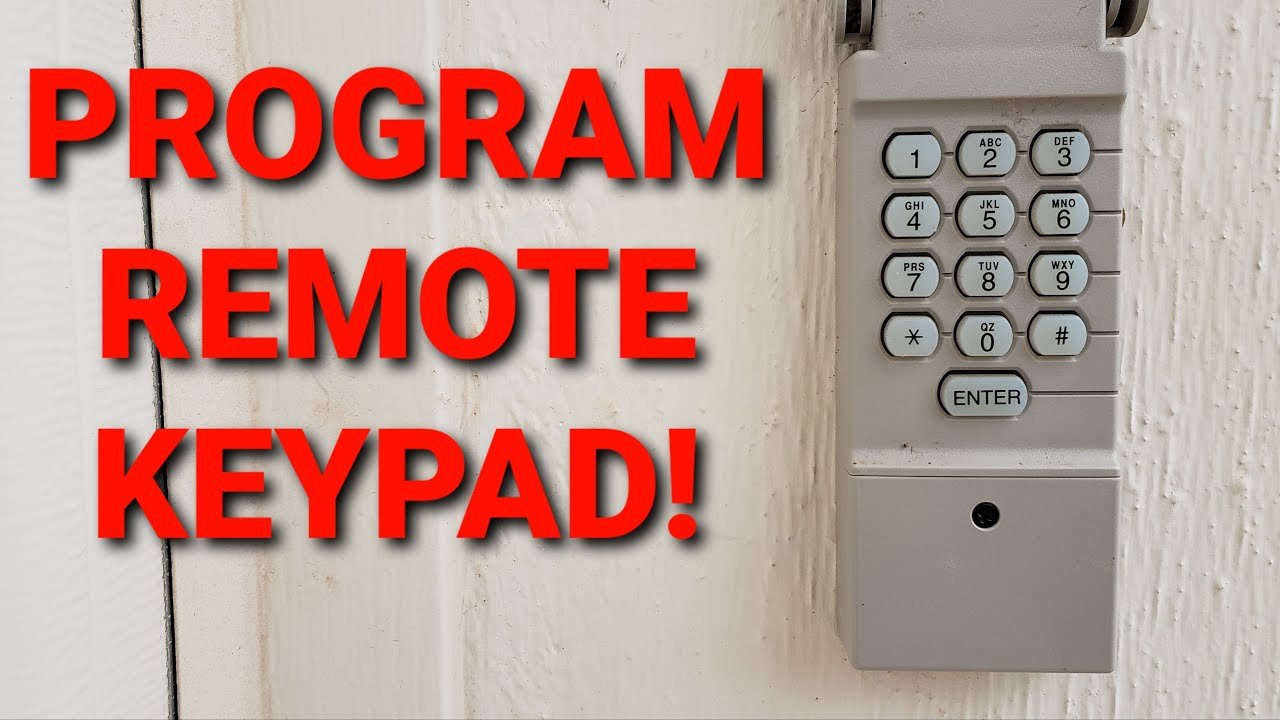
To program your garage door opener keypad, locate the “Learn” button on the overhead motor unit. Press and release the button quickly. Within 30 seconds, type your new 4-digit PIN into the outdoor keypad, then press the “Enter” button until the motor lights flash indicating success.
Getting locked out of your own house because of a misplaced remote is incredibly frustrating. We rely heavily on our garages for daily entry, and a lost remote can disrupt your entire schedule. Upgrading to a keyless entry system eliminates this stress entirely. You gain immediate access to your home with a simple PIN, providing seamless entry for family members, dog walkers, or contractors.
The purpose of this guide is to provide a clear, step-by-step tutorial on setting up and securing your garage door keypad. If you want to know exactly how to program garage door opener keypad devices, you are in the right place. Homeowners need reliable ways to improve family access and home security without relying solely on easily misplaced remotes. A dedicated keypad solves this problem perfectly.
In the following sections, you will learn how to prepare your overhead opener, enter a new PIN correctly, set up universal clickers, and troubleshoot the most common connectivity issues.
Where can I find the “Learn” button on my garage door opener?
The first crucial step in any programming sequence is finding the “Learn” or “Smart” button on your overhead garage door motor. This button acts as the central command switch for pairing new devices to your system.
Typically, you can find the Learn button located beneath the light cover on the back or side of the overhead motor unit. You may need to unclip a plastic lens cover to reveal the internal buttons and antenna wire.
Pay close attention to the button’s color. Manufacturers like Chamberlain and LiftMaster use specific colors—yellow, purple, red/orange, or green—to indicate the programming frequency. For instance, a yellow button signifies a Security+ 2.0 system (310, 315, and 390 MHz), which requires specific compatible accessories. Knowing your button color ensures you purchase the correct replacement keypads or remotes.
Step-by-Step: How to program garage door opener keypad
Ready to sync your keyless entry? Follow this exact sequence of actions to set your new PIN successfully.
- Position your ladder: Climb a sturdy step ladder to access the overhead motor unit safely. Ensure the ladder is stable and positioned directly under the motor.
- Press the Learn button: Press and promptly release the “Learn” button on the motor. Do not hold the button down. Holding the Learn button for longer than a few seconds will erase all previously programmed codes and remotes from the machine’s memory.
- Enter the PIN: Walk over to your outdoor keypad. Within 30 seconds of pressing the Learn button, type your new 4-digit PIN into the keypad.
- Finalize the sync: Press and hold the “Enter” button on the keypad. Release the button when the motor unit’s lights blink or the internal relay clicks twice.
When choosing a new 4-digit PIN, select a combination that is secure but memorable. Avoid obvious choices like “1234” or your home’s street numbers.
How to program garage door opener without remote
Homeowners often lose their primary remote and need to set up entry from scratch. Fortunately, you do not actually need an existing remote to program a new keypad. You can complete the process using the wall-mounted control panel located inside your garage.
Many modern smart control panels feature their own Learn button, offering a highly convenient alternative to using a ladder. This allows you to initiate the programming sequence directly from the wall.
To sync the keypad using your smart control panel, lift the push bar on the wall console to reveal the hidden buttons. Press the “Learn” button twice. The LED light on the panel will begin to flash. Once the panel is flashing, step outside and enter your new 4-digit PIN on the outdoor keypad, followed by the “Enter” button. The garage door should activate, confirming the successful pairing.
How to program garage door opener clicker
Setting up a new or universal remote (often called a clicker) for your car visor follows a very similar logic.
To pair a new clicker, safely climb your ladder and press the overhead motor’s “Learn” button. Quickly climb down. Within 30 seconds, press and hold the desired button on your new clicker. Wait for the overhead motor lights to flash or the unit to click twice. Test the button immediately to ensure the door opens and closes properly.
If you are using a universal clicker (such as brands like Clicker, Genie, or Chamberlain), you may need to adjust the remote’s internal dip switches or follow a brand-specific reset process. Always check the manufacturer’s instruction manual to match the clicker’s frequency settings to your specific overhead motor brand.
What are the solutions for common programming issues?
Sometimes the programming sequence does not work on the first try. Before calling a technician, you can troubleshoot these common issues yourself.
Check the basics: The most frequent culprit behind a failing keypad or clicker is a dead battery. Replace the 9-volt or coin-cell batteries in your keypad or clicker before attempting to reprogram the system.
Clear the memory: Garage door openers have limited memory capacities. If you have programmed multiple remotes over the years, the system’s memory might be full. You can erase all old codes by holding the motor’s “Learn” button for six solid seconds until the indicator light turns off. Once the memory is clear, you can reprogram your current keypads and clickers from scratch.
Address potential signal interference: LED light bulbs installed inside the motor unit can sometimes emit frequencies that interfere with remote signals. If your keypad only works sporadically, try removing the LED bulbs or replacing them with specialized garage door opener bulbs designed to prevent radio frequency interference.
Secure Your Garage and Simplify Your Life
Programming a garage door keypad or clicker is a simple DIY task that takes only minutes to complete. By locating the Learn button, typing in a secure PIN, and syncing your devices, you can regain control over your home’s entry points.
As a next step, test your newly programmed PIN and clicker multiple times to ensure consistent operation. We highly recommend setting a calendar reminder to change your PIN annually to maximize your home’s security. If you encounter persistent mechanical issues or the motor refuses to accept new codes, contact a local professional to inspect the internal logic board. Be sure to check out our guide on Yearly Garage Door Maintenance to keep your system running smoothly year-round.
If you’re considering upgrading your system or need assistance selecting the right solution for your home, reach out to our trusted garage door installation experts. They can guide you through the process and ensure your garage door is installed with precision and care. Contact us today to get started!
Frequently Asked Questions
How much does it cost to install a new garage door keypad?
Purchasing a replacement keypad generally costs between $30 and $60, depending on the brand. Because programming it yourself takes less than ten minutes, you can easily avoid professional installation fees.
How long does it take to program a universal garage door clicker?
Programming a universal clicker takes roughly two to five minutes. The process simply requires accessing the overhead motor’s Learn button and syncing the remote within a 30-second window.
What are the alternatives if my motor’s Learn button is broken?
If the internal logic board or Learn button fails, you will likely need to replace the entire logic board assembly. In some cases, it is more cost-effective to upgrade to a newer, Wi-Fi-enabled overhead opener rather than repairing a decade-old circuit board.