Free AI Image Generators Compared: The Same Prompt Through 6 Tools
The best free AI image generators depends on what you need. Google Gsemini offers the most generous daily free volume and strong photorealism. Adobe Firefly has the clearest commercial licensing. Ideogram leads on rendering readable text inside images. Microsoft Copilot Designer is the easiest to start with, requiring no credit card. Leonardo AI gives the widest model variety on a free plan. Every one of them has a limit that turns into a wall.
Key takeaways
- Free tiers now produce commercially usable images. The question in 2026 is not quality, it is licensing and volume.
- Licensing varies more than quality does. Some free tiers permit commercial use outright, some require attribution, and some prohibit it entirely on free output.
- Midjourney has no free tier, and xAI removed free image generation from Grok in March 2026, moving it behind a paid subscription.
- Ideogram 4.0 was released as an open weight model on 3 June 2026, available through Hugging Face, ComfyUI and Replicate for local or API use. Free tier commercial use is permitted, with the exception that outputs may not be used to train competing image models.
- Published free tier limits contradict each other across every guide online, including recent ones. We explain why below, and how to check for yourself in two minutes.
- Watermarks are not the only marking. Some platforms embed invisible provenance data in generated images even when no visible watermark appears.
Why every guide gives you different numbers
Before the comparison, something worth saying plainly: the free tier limits published across AI image generator roundups do not agree with each other, and several of them are wrong.
While researching this article we found current guides reporting Google Gemini’s free daily limit as roughly 15 images and as 100 images. We found Ideogram’s free credits described as 10 per day and as 10 per week. These are not old articles. They were published within weeks of each other in 2026.
Three reasons this happens:
- The limits genuinely change, often. NightCafe introduced expiry dates on accumulated credits in early 2026. Free tiers tighten quietly and no vendor announces it.
- Limits vary by region, account age and platform. The same tool can give different allowances through its own app than through a partner integration.
- A large share of these roundups are written by companies selling image tools, or earning affiliate revenue from the tools they rank. Several of the highest ranking guides for this search place their own product first.
- If you are comparing AI tools, it is also worth understanding how accurate AI detectors really are and why AI detection results should be interpreted carefully.
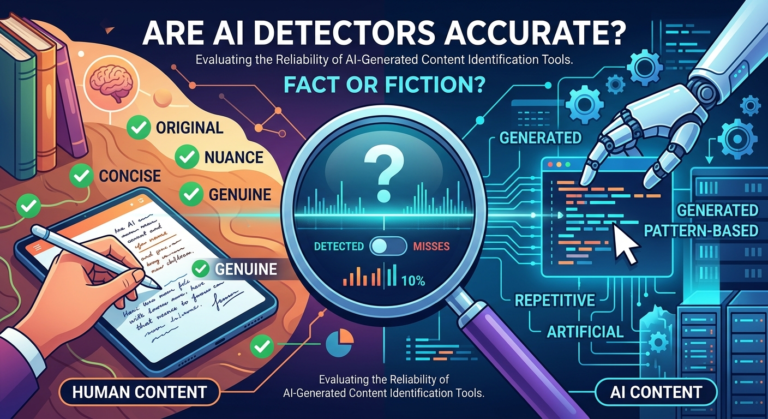
If you are comparing AI tools, it is also worth understanding how accurate AI detectors really are and why AI detection results should be interpreted carefully.
We have named specific numbers below only where we could confirm them, and flagged the rest. Check the tool’s own pricing page before you plan around any limit, including ours. That takes two minutes and is more reliable than any article, this one included.
How we tested the best free AI image generators
We gave six free AI image generators the identical prompt, generated on the same day, with no prompt tweaking between tools and no cherry-picking of outputs. It took the first result each tool produced.
We ran three prompt types, because tools that excel at one fail badly at another:
- A photorealistic scene, testing realism and lighting
- An image containing readable text, testing the single biggest weakness in this category
- A flat illustration or icon, testing style consistency
Every image below is the first output, unedited. Where a tool produced something poor, we published it anyway.
What we could not test: paid tiers, local installations requiring your own GPU, and enterprise licensing terms. All licensing statements below come from the platforms’ published terms as of August 2026 and should be verified before commercial use.
What does each free AI image generators free tier actually give you?
| Tool | Free allowance | Watermark on free output | Commercial use on free tier |
|---|---|---|---|
| Google Gemini | Daily image limit rather than credits, generous relative to competitors | No | Permitted under Google’s terms, verify current wording |
| Microsoft Copilot Designer | Free, no credit card required | No | Permitted |
| Adobe Firefly | 25 generative credits per month | No | Permitted, with the clearest licensing terms in this category |
| Ideogram | Small credit allowance, reported inconsistently as daily or weekly | No | Permitted, excluding training competing image models |
| Leonardo AI | Roughly 150 daily tokens, widest model variety on any free tier | Varies by model | More nuanced than the others, verify before client work |
| Craiyon | Unlimited generations, no account required | Yes, visible | Not permitted on the free tier |
Confirm every figure in this table against the vendor’s own pricing page on the day you publish. These limits move.
The licensing question most guides get wrong
Commercial use rights, not image quality, are what decide whether a free AI image generator is usable for real work.
The distinction that matters is not “free versus paid”. It is between three quite different situations:
Full commercial rights. You own the output and can use it in client work, products and marketing. OpenAI, for example, explicitly grants commercial rights to images generated with its image model.
Commercial use with conditions. Permitted, but with attribution requirements, restrictions on resale, or carve outs. Ideogram permits commercial use on its free tier but prohibits using outputs to train competing image models. Leonardo’s terms are more layered than a single sentence can capture.
No commercial use on free output. Craiyon’s free tier falls here, alongside its visible watermark and low resolution output.
Open source models are a separate category entirely. FLUX and Stable Diffusion variants run on your own hardware and put you outside any platform’s terms. Ideogram 4.0’s release as an open weight model in June 2026 moved it partially into this territory too.
If you are producing images for paying clients, this section matters more than any quality comparison. Read the actual terms page, not a summary, and screenshot it on the day you use it. Terms change and a screenshot with a date is your evidence.
Watermarks are not the only marking on your image
An image with no visible watermark is not necessarily unmarked.
Several major platforms now embed invisible provenance signals into generated images, identifying them as AI produced even after resizing or light editing. Google applies this kind of watermarking to its generated media, and industry provenance standards are being adopted more widely across the sector.
This does not stop you using the image. It does mean:
- Detection tools and platforms may identify the image as AI generated regardless of what you say about it
- Some publishers, stock libraries and competition rules treat that as disqualifying
- If your work requires disclosure, assume it will be discoverable either way
None of this is a reason to avoid these tools. It is a reason not to assume that an unwatermarked image is untraceable.
Where does free stop being enough?
Free AI image generation stops working at the point where you need volume, consistency, or control.
Volume. Every free tier is built around a daily or monthly cap. If you cross it three days running, you are no longer a free tier user, you just have not paid yet.
Consistency. Free tiers rarely give you seed control, reference image conditioning, or reliable character consistency across a set. If you need the same character in eight images, free will fight you.
Resolution and formats. Free output resolution is often capped below what print or large format display needs.
Speed and queues. Free users queue behind paid ones on most platforms.
One warning worth stating: the common failure here is not paying too late, it is stacking four free plans and then four cheap subscriptions and ending up paying more than one good plan would have cost. Decide which single tool fits your main job before you subscribe to anything.
Which free tool renders text correctly?
Text inside images remains the hardest task in this category, and the tools separate sharply on it.
Ideogram built its reputation on text rendering and generally leads independent comparisons on it. Google’s current image model improved noticeably on text in 2026. Older or lighter models still produce the familiar garbled lettering.
This matters more than it sounds. If you are producing social graphics, thumbnails, posters or anything with a headline in it, text rendering is the whole job. A photorealistic image with mangled text is unusable.
Test this yourself with your own brand name rather than a generic word. Unusual spellings and non English words are dramatically harder than common English ones, and no roundup will test the word you actually need.
Content moderation differs more than you expect
Free AI image generators refuse different things, and the differences are large enough to change which tool you pick.
Google’s models apply strict content filtering and will refuse prompts touching anything the system considers sensitive, including some entirely benign requests involving real people or brands. Other platforms are more permissive within their published policies.
Practical advice: if a tool refuses a legitimate prompt, rephrase rather than switching tools. Most refusals are triggered by a specific word rather than the actual request. If it refuses consistently, that tool is not the one for your use case.
We would add one thing not usually said in these comparisons: tools that advertise having no content restrictions at all are not a category we recommend or cover here. The absence of moderation is a liability, not a feature, for anyone producing work professionally.
What changed in Free AI image generators 2026
The free AI image landscape moved substantially this year, and several widely shared recommendations are now out of date.
- Midjourney has no free tier. It has not had one for some time, and any guide listing it among free options is stale.
- Grok image generation is no longer free. xAI removed free image generation in March 2026; it now requires a paid subscription.
- Ideogram 4.0 went open weight on 3 June 2026, available on Hugging Face, ComfyUI and Replicate for local or API deployment.
- NightCafe introduced credit expiry in early 2026, which materially changed the value of its slow accumulating free credits.
- Google’s current image model raised the free tier bar on both quality and daily volume.
If you last researched this in 2025, all five of those are new.
Five mistakes to avoid
- Trusting a published free tier limit, including this article’s. Check the vendor page the day you plan around it.
- Using free tier images in client work without reading the terms. Quality is not the constraint, licensing is.
- Testing with a generic prompt. Test with your actual brand name and your actual use case. That is the only test that predicts anything.
- Assuming no visible watermark means untraceable. Invisible provenance marking is now common.
- Stacking subscriptions. Four small paid plans usually cost more than the one plan you actually needed.
Frequently asked questions
What is the best free AI image generator in 2026? It depends on the job. Google Gemini leads on free volume and photorealism, Adobe Firefly on licensing clarity, Ideogram on text inside images, Microsoft Copilot Designer on ease of starting, and Leonardo AI on model variety.
Can I use free AI generated images commercially? It depends entirely on the platform. Some free tiers grant full commercial rights, some permit it with conditions such as attribution or restrictions on model training, and some prohibit commercial use of free output altogether. Always read the platform’s current terms before using an image in paid work.
Is Midjourney free? No. Midjourney does not offer a free tier and has not for some time.
Is Grok image generation still free? No. xAI removed free image generation in March 2026. It now requires a paid subscription.
Which free AI image generator handles text inside images best? Ideogram is generally strongest on text rendering in independent comparisons, with Google’s current model close behind after significant improvement in 2026.
Do free AI image generators add watermarks? Some do and some do not. Craiyon adds a visible watermark on free output. Several tools add none. Separately, some platforms embed invisible provenance data even without a visible mark.
Can I run an AI image generator on my own computer? Yes. Open source models including FLUX and Stable Diffusion variants run locally if you have suitable hardware. Ideogram 4.0 was released as an open weight model in June 2026 and can be deployed the same way.
Why do different guides list completely different free limits? Because the limits change frequently, vary by region and account, and because many roundups are published by companies with a commercial interest in the tools they rank.
The bottom line
Choosing the best free AI image generator depends on how you balance volume, licensing, and control
What separates them is everything around the image: how many you get, what you are legally allowed to do with them, whether the text comes out readable, and how fast the free tier turns into a paywall.
Pick based on your actual job. Need volume and realism, start with Gemini. Need text in the image, start with Ideogram. Doing paid client work, start with Firefly and read the licence. Just want to try it with no signup, start with Copilot Designer.
And test with your own prompt before you commit to anything. Every comparison online, including this one, tested a prompt that was not yours.